To resolve ElizaOS Plugin-EVM Invalid Private Key Hex Error, resolve the ElizaOS invalid private key hex error. Convert WIF and Base58 strings to 32-byte hexadecimal format for @noble/curves secp256k1 validation. Ensure all derivation paths, environment parameters, and cryptographic signatures are verified client-side using deterministic tools before broadcasting live transactions.
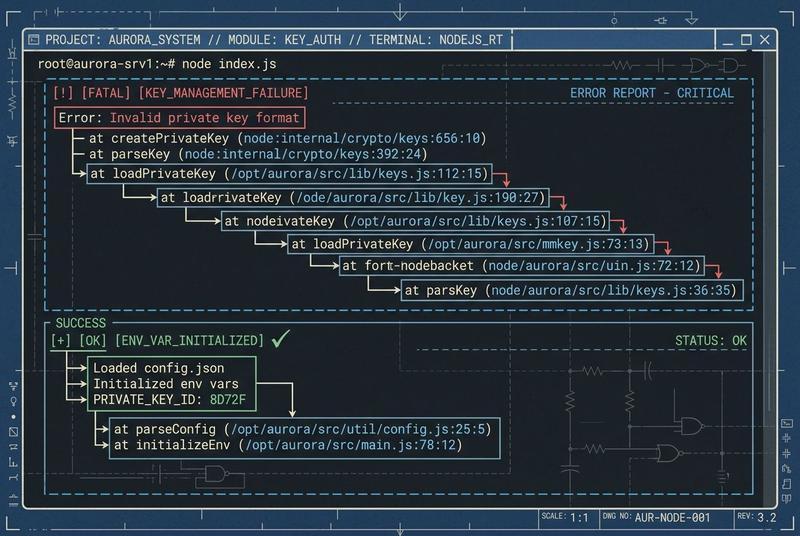
The invalid private key, expected hex or 32 bytes, got string error occurs when the ElizaOS plugin-evm receives a private key that is not a standard 64-character hexadecimal string. To resolve this immediately, ensure your EVM_PRIVATE_KEY in the .env file is prefixed with 0x and contains exactly 32 bytes of entropy.
Correct vs. Incorrect Configuration
// ❌ INCORRECT: Wallet Import Format (WIF) / Base58 (Common in Solana/Bitcoin)
EVM_PRIVATE_KEY=5KxpX... (Base58 strings will trigger the 'got string' rejection)

// ❌ INCORRECT: Raw hex without 0x prefix
EVM_PRIVATE_KEY=a1b2c3d4... (Often rejected by Viem's stricter validation logic)

// ✅ CORRECT: 64-character Hexadecimal with 0x prefix
EVM_PRIVATE_KEY=0xa1b2c3d4e5f6... (Exactly 32 bytes / 64 hex chars)
Architectural Context: The Viem-Noble Stack and secp256k1 Validation
The ElizaOS plugin-evm architecture is built upon Viem, a modern TypeScript interface for Ethereum, which replaces legacy libraries like ethers.js. Viem, in turn, relies on @noble/curves for all elliptic curve operations. This shift to “Noble” libraries represents a move toward auditability and zero-dependency cryptography in the JavaScript ecosystem.
The normPrivateKeyToScalar Logic
When you provide a private key to ElizaOS, it eventually passes through Viem’s privateKeyToAccount function to the @noble/curves core. The library’s secp256k1.js module executes a function called normPrivateKeyToScalar.
The validation sequence is as follows:
- Type Check: The input must be a
Uint8Array, abigint, or a string that looks like a hexadecimal. - Length Check: If it is a byte array or hex string, it must represent exactly 32 bytes (256 bits).
- Field Order Check: The resulting scalar must be greater than zero and less than the curve’s field order ($n$).
The “got string” error specifically triggers when the parser fails at step 1 or 2. If you provide a Base58 string (WIF), the library interprets it as a literal string of characters (e.g., ‘5’, ‘K’, ‘x’…) rather than a sequence of 32 bytes. Since a WIF string is typically 51-52 characters long, it fails the “32 bytes” constraint immediately.
Why the 0x Prefix Matters in Viem
Unlike Ethers.js, which is often lenient with string formatting, Viem enforces strict hexadecimal typing. The isHex() utility function in Viem checks for the 0x prefix. Without it, the string is treated as a generic UTF-8 string rather than a hexadecimal representation. This strictness is a security feature, preventing developers from accidentally signing with a “brainwallet” string (like “password123”) when they intended to use a raw hex key.
Production-Grade Prevention: Secure Secret Management for Autonomous Agents
Granting an autonomous AI agent (ElizaOS) access to a raw private key is a high-risk operation. In a production environment, you must move beyond a simple .env file to a more robust secret management architecture.
1. Environment Variable Schema and Validation
Implement a pre-launch validation script in your package.json to ensure the environment is correctly configured before the agent starts.
// validate-env.js
const { isHex } = require('viem');

const privateKey = process.env.EVM_PRIVATE_KEY;
if (!privateKey || !isHex(privateKey) || privateKey.length !== 66) {
  console.error("CRITICAL ERROR: EVM_PRIVATE_KEY must be a 66-character hex string (including 0x).");
  process.exit(1);
}
console.log("Environment validation successful.");
2. Using Secret Managers (AWS Secrets Manager / Doppler)
Instead of storing keys in plain text on the server, use a secret manager. ElizaOS can be configured to fetch keys at runtime via an API call, ensuring that the key never touches the disk.
Doppler Configuration Example:
# Inject secrets directly into the ElizaOS process
doppler run -- npm start
3. Account Abstraction and Limit Policies
For the ultimate security layer, do not give ElizaOS a “Master EOA.” Instead, use an ERC-4337 Smart Account.
- Session Keys: Grant the agent a temporary session key with a 24-hour expiration.
- Spend Limits: Hard-code a daily spending limit (e.g., 0.1 ETH) into the smart account contract.
- Whitelist: Restrict the agent’s ability to call only specific contract functions (e.g., Uniswap
swaponly).
Maintenance Manual: Key Rotation Policy
| Frequency | Action | Objective |
|---|---|---|
| Weekly | Balance Sweep | Move excess profits from the Agent wallet to a Cold Storage multisig. |
| Monthly | Key Rotation | Generate a new EVM_PRIVATE_KEY and update the Secret Manager. |
| Per Update | Plugin Audit | Review plugin-evm dependencies for any supply-chain vulnerabilities. |
Advanced FAQ Layer
Q1: Why does ElizaOS reject my private key even if it works in MetaMask?
MetaMask often accepts various formats, but the Viem/Noble-curves stack used by ElizaOS requires a raw 32-byte hex string. Ensure your key is 64 characters long (excluding the 0x prefix) and properly formatted.
Q2: Why does my key work in Hardhat but not in ElizaOS?
Hardhat often auto-prefixes strings with 0x and performs internal Base58 decoding for convenience. ElizaOS/Viem aims for “browser-native” performance and security, which requires explicit formatting. If your key works in Hardhat, simply manually prepend 0x in your .env file for ElizaOS compatibility.
Q3: What happens if I use a 64-bit hex key instead of 256-bit?
A 64-bit key (16 hex characters) is cryptographically insecure and will be rejected by @noble/curves. The library enforces a 32-byte (256-bit) minimum because this is the specific scalar size required to navigate the secp256k1 curve. Any other size will trigger the “expected 32 bytes” error.
[!TIP] Diagnostic Verification & Air-Gapped Testing: Before executing state changes or broad recovery steps, cross-reference failure parameters with our companion guide on ElizaOS JS Runtime Bridge False Cycle Serialization Bug and verify transaction calldata or cryptographic envelopes using the Master Web3 & RPC Error Code Directory.